
Everything you need
for online tutoring — in one place
Clear, interactive lessons with saved whiteboards and recordings, so parents and students can track what was covered and revise anytime.
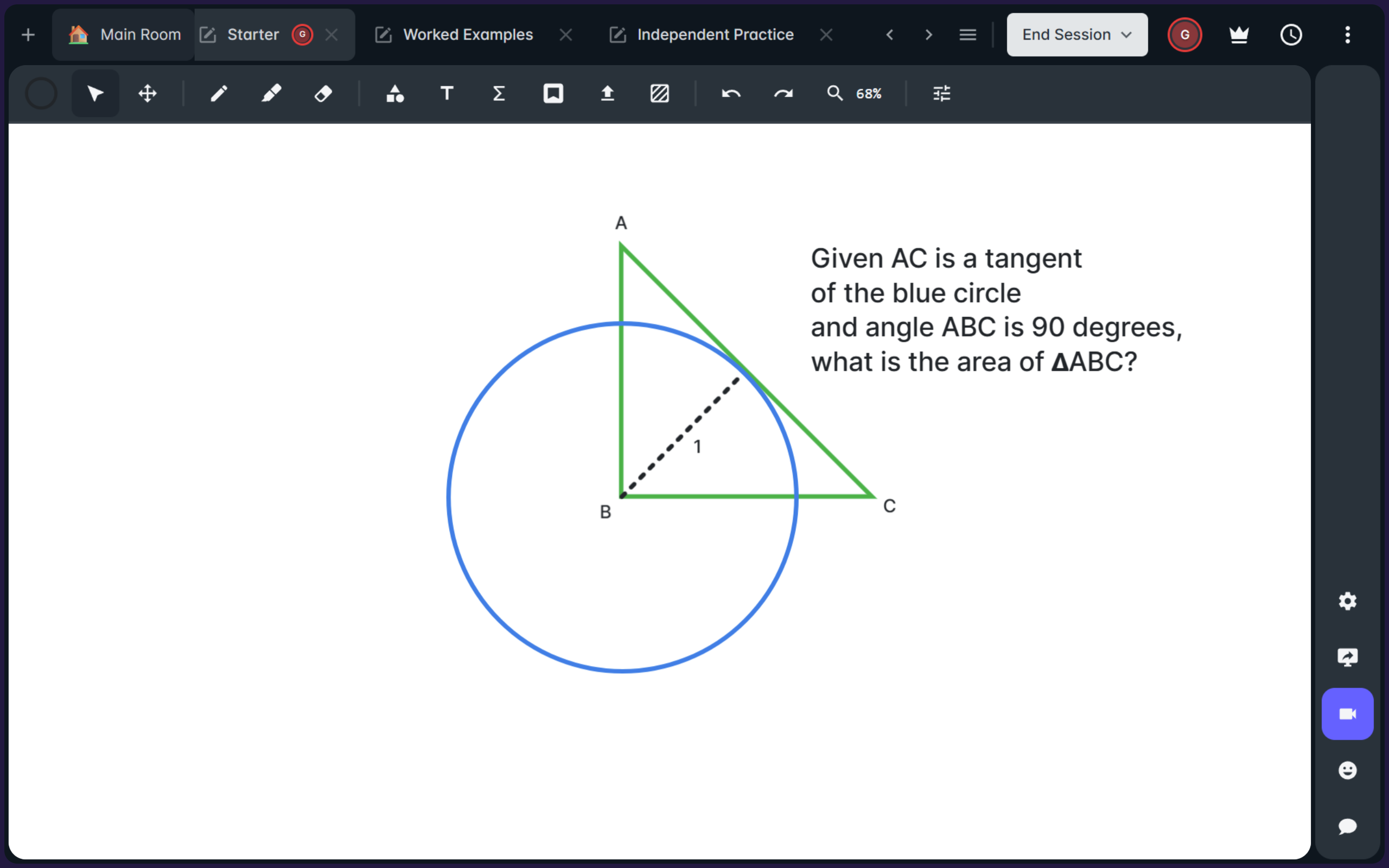
An interactive digital whiteboard
Work through questions live with your tutor using a shared whiteboard, diagrams, and step-by-step explanations. It’s ideal for visualising tricky concepts and building confidence in problem solving.
Share videos and learning materials
Tutors can share worksheets, past-paper questions and videos
during lessons or for revision afterwards. Everything stays
organised so students can revisit key resources anytime.
You can also upload tasks to complete after the session,
making practice simple and consistent.
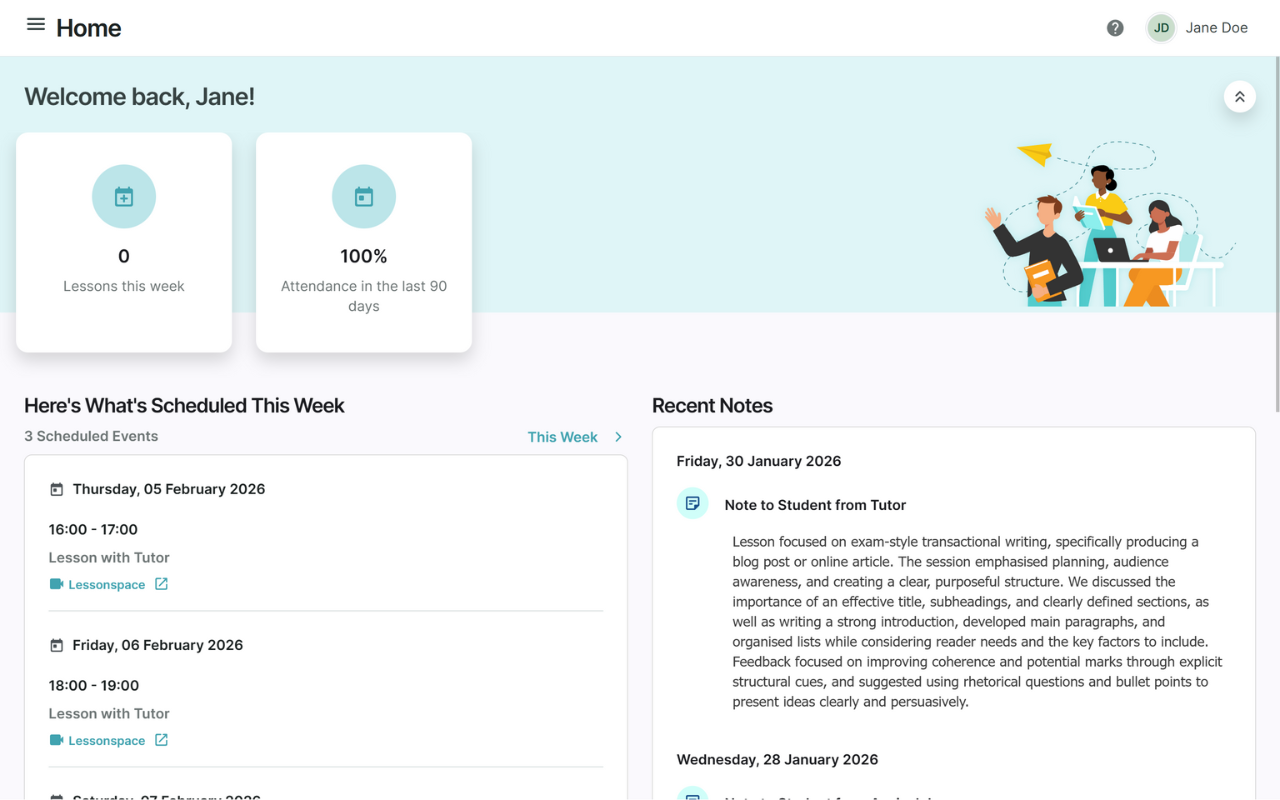
Receive lesson summaries to track progress
After each session, parents and students can view a lesson
summary including what was covered, strengths, and areas to
focus on next. Tutors can also set homework and attach
resources so next steps are clear.
This makes progress easy to follow and keeps learning
consistent between lessons.
Timetables, reminders and easy scheduling
Lessons are scheduled in a simple online calendar, with
clear confirmations and reminders. Parents and students can
see upcoming sessions at a glance and stay organised week to
week.
Rescheduling is straightforward, keeping everything in one
place.
Revisit past lessons anytime
Students can access previous Lessonspace whiteboards, so everything covered in the session stays saved — including worked solutions, diagrams and questions. This makes it easy to recap key steps and continue from where you left off.
Watch lesson recordings for revision
Lesson recordings can be viewed again after the session, helping students reinforce tricky topics and fill any gaps. Parents can also see what was covered, making progress easier to support between lessons.